The Government of Andhra Pradesh has launched a transformative digital initiative to bring transparency, efficiency, and dignity to public service delivery. Under the visionary leadership of Chief Minister Y.S. Jagan Mohan Reddy, the Navasakam (NBM) Portal stands as the technological cornerstone of this welfare mission. Accessible at gsws-nbm.ap.gov.in, this integrated platform serves as a single gateway for millions of citizens to access critical social welfare schemes. This definitive guide provides everything you need to know about YSR Navasakam, from seamless login to tracking your application status for 2025 and beyond.
Step-by-Step: Navasakam Login Process
Accessing your personal dashboard is straightforward. Follow this secure NBM login guide:
- Visit Official Portal: Open your browser and go to the only official website: https://gsws-nbm.ap.gov.in.
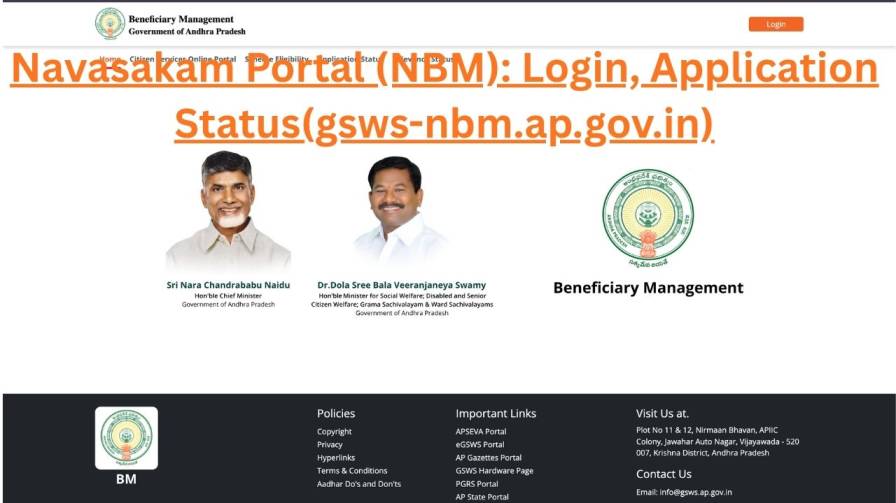
- Initiate Login: On the homepage, click the “Login” button, typically at the top-right corner.
- Enter Credentials: On the secure Navasakam login page, enter your government-issued Username and Password. These are usually provided by your Gram Sachivalayam volunteer.
- Complete Security Check: Solve the CAPTCHA by typing the characters shown to prove you are a real user.
- Access Dashboard: Click “Submit”. Upon successful authentication, you enter your personalized dashboard to view applications, check statuses, and update information.
Troubleshooting NBM Login Issues
Forgot your password or username? Don’t worry. The system offers robust support:
- Visit your local Gram Sachivalayam or contact the Mandal Parishad Development Officer (MPDO). They are trained to help recover credentials.
- For technical portal issues, call the dedicated helpline at 1902.
How to Check Your NBM Application Status (2025)
One of the portal’s most praised features is real-time tracking. You can check your NBM application status without a full login:
- Go to gsws-nbm.ap.gov.in.
- Find and click the “Application Status” or “Know Your Status” tab on the homepage.
- On the new page:
- Select the welfare scheme (e.g., Jagananna Amma Vodi).
- Choose the application year (e.g., 2025).
- Enter your 12-digit Aadhaar number linked to your registered mobile.
- Click “Get OTP”. Enter the One-Time Password sent to your mobile.
- View your current NBM application status instantly.
Common Application Status Meanings:
- Approved: Benefits are being processed.
- Pending/Under Verification: Application is under review.
- In Process: Moving through approval stages.
- Rejected: Contact your Gram Sachivalayam immediately to understand the reason.
What is the Navasakam (NBM) Portal?
The Navasakam Beneficiary Management (NBM) Portal, often referred to as the NBM GSWS Portal, is the official online platform for managing and delivering welfare schemes in Andhra Pradesh. It is the digital face of the government’s Navasakam (“New Dawn”) initiative, designed to eliminate delays, reduce corruption, and ensure benefits reach eligible citizens directly. The portal hosts a comprehensive range of schemes targeting education, women’s empowerment, livelihood support, and social security.
Key Welfare Schemes on the NBM Portal, AP
The NBM GSWS Portal hosts life-changing initiatives. Some prominent schemes include:
- Jagananna Amma Vodi: Financial aid to mothers/guardians for children’s education (Class 1-12).
- YSR Cheyutha: Pension-like support for marginalized women (45-60 years) from SC, ST, BC, Minority communities.
- YSR Kapu Nestham: Financial assistance for Kapu community women for self-employment.
- YSR Vahana Mitra: Aid for auto/taxi/cab drivers for vehicle maintenance and insurance.
- Jagananna Chedodu: One-time assistance for tailors, barbers, and Rajakas.
- YSR EBC Nestham: Support for women from Economically Backward Classes.
- YSR Kalyanamasthu: Financial grant for the marriage of girls from BPL families.
NBM Portal Eligibility: General Overview
While each scheme has specific criteria, common parameters include:
- Domicile: Must be a permanent resident of Andhra Pradesh.
- Income Ceiling: Family income below the scheme-specific threshold.
- Social Category: Many schemes target SC, ST, BC, EBC, Kapu, and Minorities.
- Occupation & Gender: Tailored for drivers, artisans, women, etc.
Always verify exact eligibility using the portal’s checker or consult your Gram Sachivalayam volunteer.
Navasakam Portal Support Channels
| Support Channel | Contact / Access Method | Purpose & Best For |
|---|---|---|
| Helpline Number | 1902 | General technical queries and portal functionality guidance. |
| Official Website | https://gsws-nbm.ap.gov.in | Primary platform for login, applications, status tracking, and official information. |
| Local Government Support | Gram Sachivalayam Volunteer or MPDO Office | Most reliable contact. Essential for credential recovery, application queries, and eligibility help. |
Frequently Asked Questions (FAQs)
Q1: What is the official website for Navasakam login?
A: The only official website is gsws-nbm.ap.gov.in. Do not share credentials on any other site.
Q2: How can I check my NBM application status without a password?
A: Use the “Application Status” feature on the homepage. It only requires your Aadhaar number and OTP verification.
Q3: What is the difference between Navasakam and the NBM portal?
A: Navasakam is the overarching welfare initiative. The NBM Portal (Navasakam Beneficiary Management) is the specific online platform for scheme management.
Q4: Can I use the NBM portal in Telugu?
A: Yes. The portal fully supports Telugu. Use the language selector on the homepage.
Q5: How do I register as a new user on the NBM portal?
A: Registration is primarily done through Gram Sachivalayams. Contact your local volunteer for guidance and credential issuance.
Q6: What if my NBM application status shows ‘Rejected’?
A: Immediately visit your Gram Sachivalayam or MPDO office. They can clarify reasons, guide on appeals, or help correct discrepancies.